
U-Con TableTop Events FAQ
U-Con has used TableTop.Events (TTE) for our event registration since 2022. Overall, TTE works very well for us, but every year, there are folks who need to use a feature or function which they haven’t used before. We’ve put together a list of Frequently Asked Questions to help you navigate friends, badges, and tickets on TTE.
We hope you find the information helpful. Please contact our customer support if you need further assistance.
Q: I bought a day badge, but now I’d like the full weekend badge. How do I upgrade?
Go to Attend –> Get / View Your Badge. Click your name to select the badge. Click the Convert button and select the new badge type. Your credit card will be debited or credited with the difference in cost.
See TTE Help on Refunds and Badge Conversions for more information.
Q: I no longer need this badge. How do I get a refund?
Go to Attend –> Get / View Your Badge. Click your name to select the badge. Click the refund button. Note that the refund goes to the original payment methods, and there is an administrative fee for refunds.
See TTE Help on Refunds and Badge Conversions for more information.
Q: I need to change my schedule. How do I remove tickets?
Navigate to Attend –> My Schedule. Scroll down to the ticket section, click on the Manage button for tickets you no longer want, and then choose “Delete.” You can also use the view button to transfer them to another badge within the same TableTop.Events account. You cannot transfer tickets between badges on different accounts, so instead you will have to delete the ticket from one account, then add (and checkout) from the second account.
Note that there is an administrative fee for refunds, but for free tickets there is no fee to remove them.
Q: How do I change the name on a badge?
Go to Attend –> Get / View Your Badge. Click your name to select the badge. Click edit and update the name on your badge.
Q: How do I become a “friend” with another person on TableTop.Events?
Both you and the person you want to “friend” will need to have accounts on TTE. Sign in and click your name in the upper right to navigate to your Conventions page. Click “Friends” under Account in the right column. Enter the email address which the other person uses for their TTE account and click “Find Friend by Email.” The other person will receive an email and need to accept the friendship.
Once you are friends, you can transfer badges in your account to that friend or buy a convention badge for them. See TTE help on friends for more information.
Q: How do I buy badges for others?
You can
- buy a badge directly for a “friend” by selecting the badge type (click Buy) then click “Give to a friend?”
- transfer a badge from your account to a “friend” account using the Friends Page on TTE
- buy additional badges under your user account: this is a great option for buying child badges but isn’t a good option if you host events or sign up for volunteer shifts.

See TTE help on buying badges for more information.
Q: How do I get tickets for others?
Find events using the search tool under Attend –> Event Schedule. You can get the ticket for badges in your account using the big green buttons. You can get tickets for your “friends” by clicking the “Give to a friend?” button.
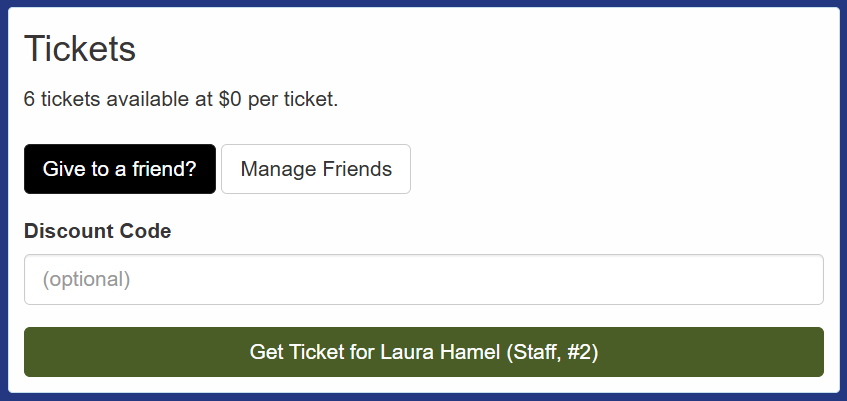
Q: I’m having trouble getting tickets for my family due to conflicts with my Gamemaster session or Volunteer shift. What should I do?
We recommend creating a separate TTE account to hold the badges for your family members. Then make that account your “friend” (see the entry on Friends). You can transfer (or buy) the badges into that account. The separate account will not have conflicts due to Gamemaster sessions or Volunteer shifts.